
Sep 4, 2026
7 Best Instagram Email Finder Tools (2026 Comparison)
Compare the top 7 Instagram email finder tools. Free unlimited (CreatiVault), paid databases (Modash), Chrome extensions (INSE). Find the right tool for your workflow.
 Rena Sato 佐藤玲奈1,102 words5 min read
Instagram doesn't provide a public email API, so these tools scrape bios, About pages, and cross-platform profiles. The best free option is CreatiVault (unlimited searches, batch mode). The best paid option is Modash (full influencer database). The best Chrome extension is INSE (instant lookup while browsing).
Choosing the right tool depends on your workflow: free unlimited for agencies, paid databases for enterprise teams, or browser extensions for quick one-off checks.
Key Takeaways
• Best free unlimited: CreatiVault (no query limits, batch mode, Chrome extension)
• Best for enterprises: Modash (influencer CRM + email finder, ~$100/month)
• Best Chrome extension: INSE or CreatiVault extension (instant lookup while browsing)
• Manual methods work too: Check bios, Contact buttons, and link-in-bio pages first (see 8 manual methods)
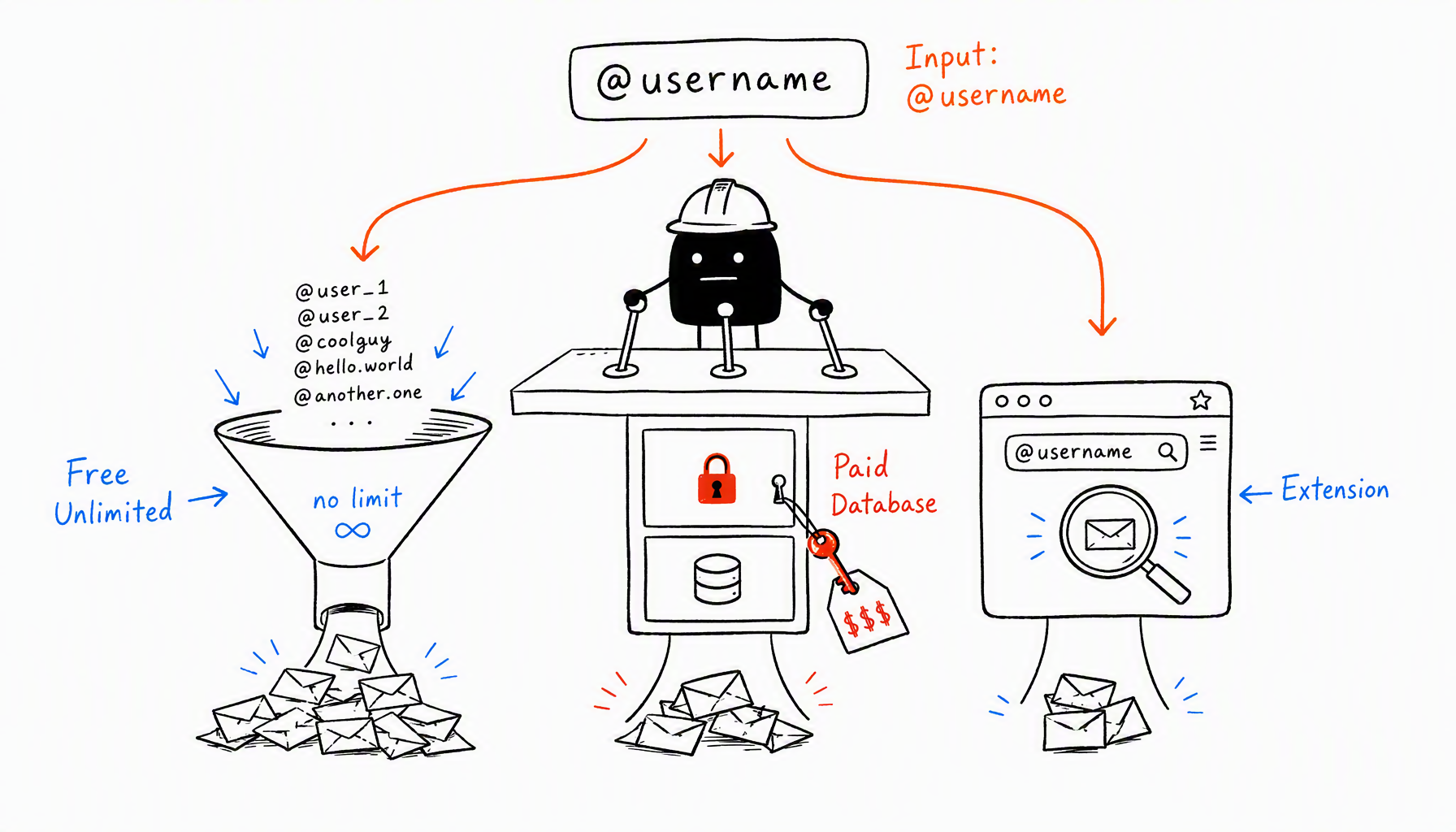
Comparison Table
Tool | Price | Monthly Limit | Batch Mode | Chrome Extension | Best For |
|---|---|---|---|---|---|
CreatiVault | Free | Unlimited | ✓ | ✓ | Agencies, DTC brands |
Modash | $99+/mo | Unlimited | ✓ | ✗ | Enterprise teams |
Influencers.club | Free | 10/month | ✗ | ✗ | Individuals |
INSE | Free | Unlimited | ✗ | ✓ | Quick checks |
Hunter.io | $49+/mo | 500/month | ✓ | ✓ | Email verification needs |
Snov.io | $39+/mo | 1,000/month | ✓ | ✓ | Cold email campaigns |
ContactOut | $99+/mo | Varies | ✓ | ✓ | Recruiting/LinkedIn focus |
7 Best Instagram Email Finder Tools Reviewed

1. CreatiVault Instagram Email Finder (Recommended for Agencies)
Price: Free, unlimited
Best for: DTC brands, agencies, influencer marketers running batch searches
What it does: Aggregates publicly visible emails from Instagram bios, link-in-bio pages, and cross-platform profiles. Supports batch mode (paste 50+ usernames at once) and has a Chrome extension for instant lookup.
Pros:
- No query limits (most "free" tools cap at 10-50/month)
- Batch mode saves hours vs. manual checks
- Chrome extension works while browsing Instagram
- No credit card required
Cons:
- Focuses only on email finding (no influencer analytics like follower growth, engagement rates)
- Only finds publicly listed emails (can't access hidden contact info)
When to use: You're screening 20+ creators monthly, or you're an agency managing multiple DTC clients.
2. Modash (Best for Enterprise Teams)
Price: Starts at $99/month
Best for: Enterprise influencer marketing teams who need full CRM + analytics
What it does: Full influencer discovery platform with email finder built in. Search by niche, follower count, engagement rate, then pull emails directly.
Pros:
- Influencer database with 250M+ profiles
- Audience demographics, engagement metrics, fake follower detection
- Campaign tracking and ROI measurement
Cons:
- Expensive for small teams ($99/month minimum)
- Overkill if you only need email addresses
When to use: You're running 10+ influencer campaigns per year and need analytics beyond just contact info.
3. Influencers.club (Best Free Option for Individuals)
Price: Free (10 searches/month)
Best for: Individuals or small brands contacting 1-5 creators monthly
What it does: Simple web tool—paste Instagram username, get email if it's public.
Pros:
- Completely free
- No signup required for first 10 searches
- Clean, simple interface
Cons:
- 10-search monthly limit (not enough for agencies)
- No batch mode
- No Chrome extension
When to use: You're a solo creator or micro-brand reaching out to <10 people per month.
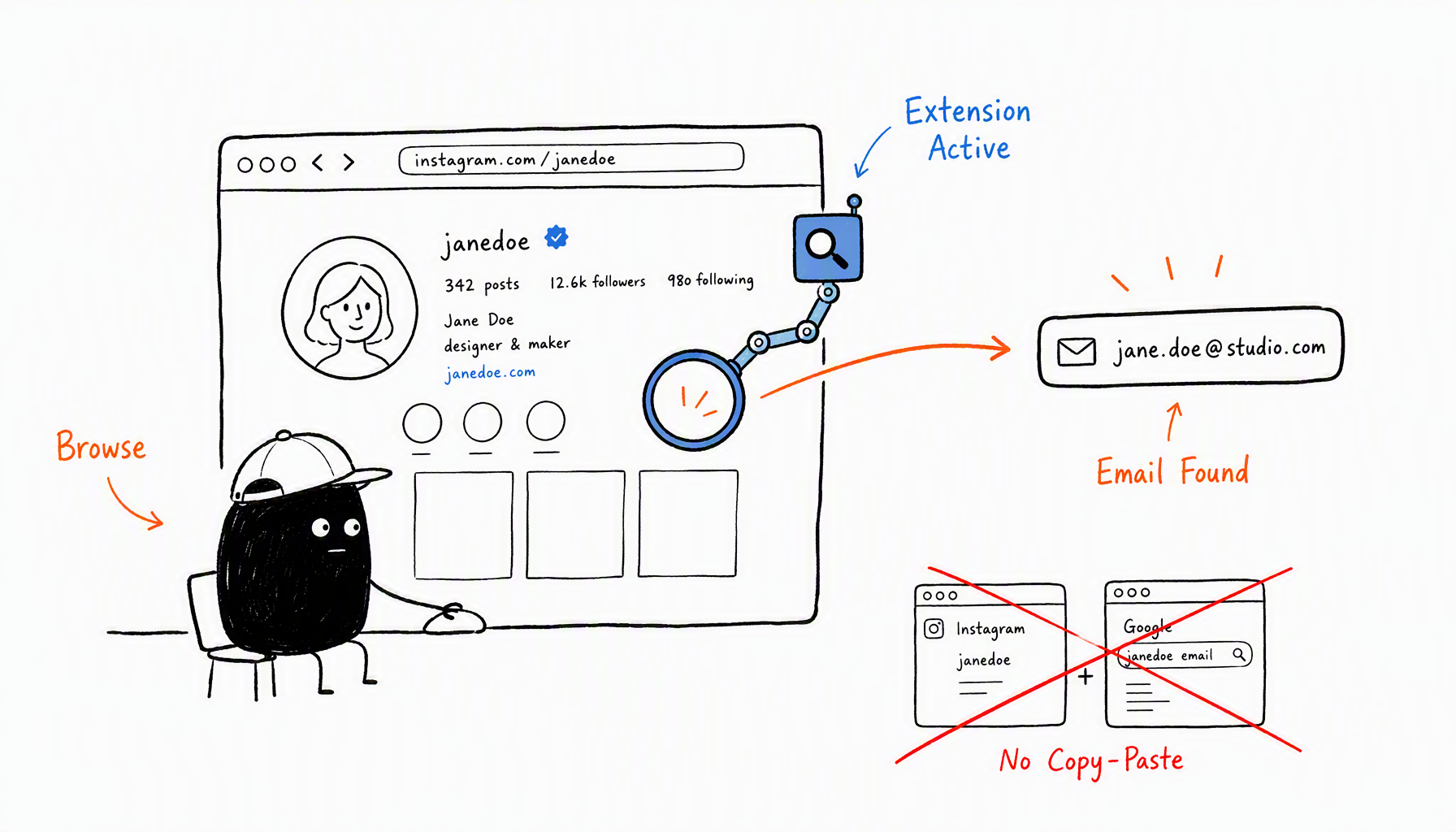
4. INSE Instagram Email Finder (Best Chrome Extension)
Price: Free
Best for: Quick checks while browsing Instagram
What it does: Chrome extension that shows emails directly on Instagram profile pages.
Pros:
- Instant lookup (no copy-pasting usernames)
- Free and unlimited
- Works seamlessly while browsing
Cons:
- No batch mode (manual click per profile)
- Chrome-only (no Firefox/Safari)
When to use: You're browsing Instagram organically and want instant email lookup without switching tabs.
5. Hunter.io (Best for Email Verification)
Price: Starts at $49/month (500 searches)
Best for: Teams who need email verification + finding
What it does: Finds emails from domains (not just Instagram). Strong verification feature to check if emails are active.
Pros:
- Verifies email deliverability (reduces bounce rates)
- Works across platforms (LinkedIn, company websites, Instagram)
- API access for automation
Cons:
- Monthly search limits (500 on basic plan)
- More expensive than CreatiVault or Influencers.club
When to use: You're running cold email campaigns and need to verify emails before sending (to protect sender reputation).
6. Snov.io (Best for Cold Email Campaigns)
Price: Starts at $39/month (1,000 searches)
Best for: Sales teams running cold outreach
What it does: Email finder + cold email automation. Find emails, then send drip campaigns.
Pros:
- 1,000 searches/month (decent volume for the price)
- Built-in email sequences and tracking
- Chrome extension included
Cons:
- Instagram support is limited (better for LinkedIn/company domains)
- Overkill if you only need finding (not sending)
When to use: You're running cold outreach campaigns beyond just influencer partnerships.
7. ContactOut (Best for Recruiting Use Cases)
Price: Starts at $99/month
Best for: Recruiters, not marketers
What it does: Finds emails and phone numbers, primarily for recruiting. Works well on LinkedIn.
Pros:
- High accuracy for LinkedIn profiles
- Finds phone numbers (not just emails)
Cons:
- Instagram support is weak (optimized for LinkedIn)
- Expensive for influencer marketing use cases
When to use: You're recruiting creators (not just partnering with them) and need phone contact.
How to Choose the Right Tool
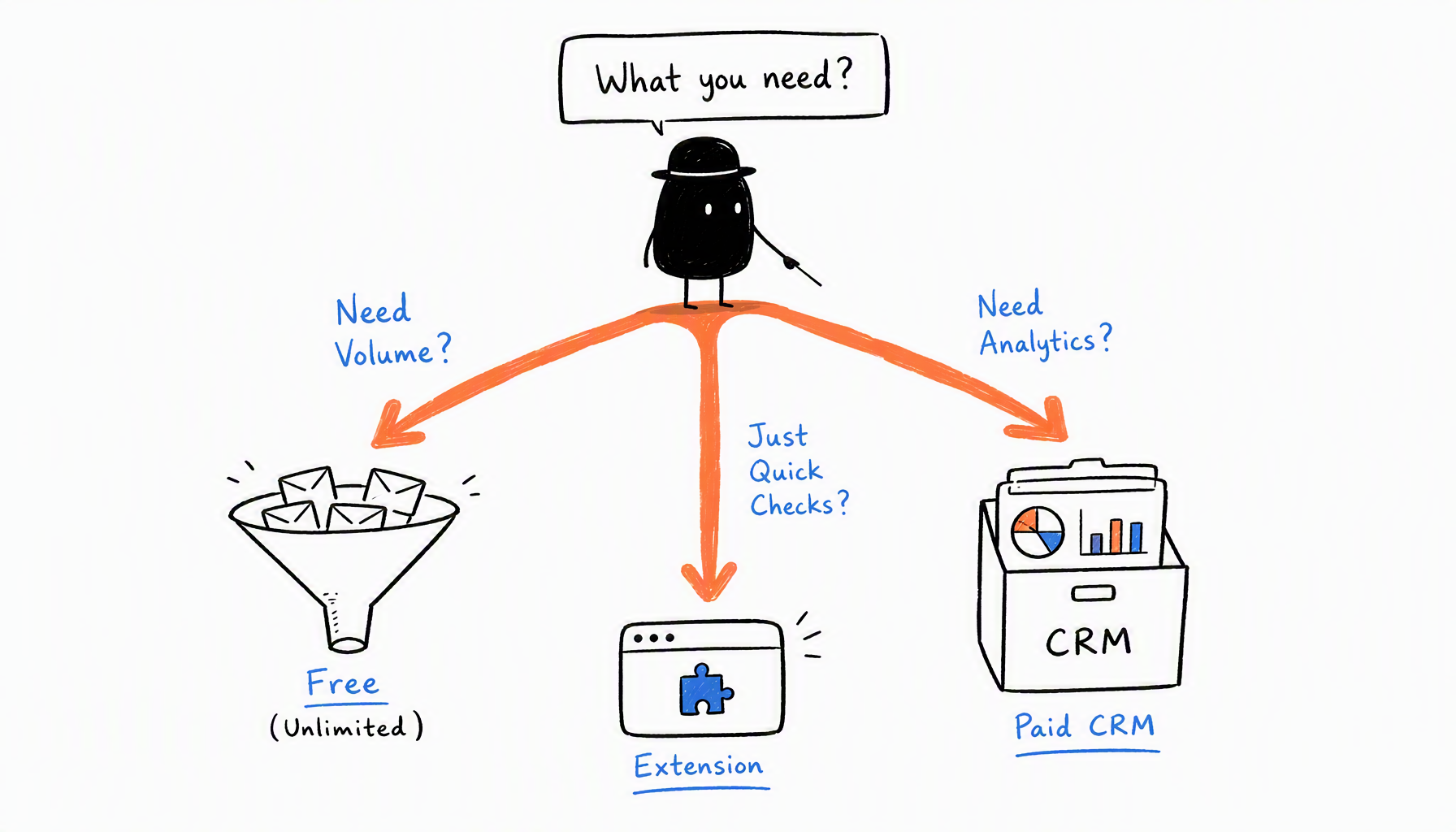
If you need free unlimited searches: → CreatiVault
No caps, batch mode, Chrome extension. Best for agencies and DTC brands.
If you need influencer analytics + emails: → Modash
Full CRM with engagement metrics, audience demographics, campaign tracking.
If you're checking 1-10 creators per month: → Influencers.club or just check manually
Free tier is enough for small-scale outreach.
If you want instant lookup while browsing: → INSE or CreatiVault extension
Chrome extensions save time vs. tab-switching.
If you need email verification: → Hunter.io
Verifies deliverability before you send (protects sender reputation). Or verify emails yourself before outreach.
Real scenario: When Sarah's agency signed 3 new DTC clients in January 2026, she tried Influencers.club's free tier first. Hit the 10-search limit in 2 days. Upgraded to Modash ($99/month) but realized her team only needed emails—not full analytics. Switched to CreatiVault's free unlimited plan. Saved $1,188/year, same email coverage.
Conclusion
There's no single "best" tool—only the best fit for your workflow. If you're running batch searches monthly, start with CreatiVault (free, unlimited). If you need full influencer CRM with analytics, Modash is worth the investment. If you're checking 1-5 creators, manual methods or Influencers.club's free tier work fine.
Next steps:
- Start with CreatiVault's free tool for unlimited searches
- If you need analytics, trial Modash for 14 days
- For quick checks, install INSE Chrome extension
- Compare all email finder tools for broader options beyond Instagram
The bottleneck isn't finding emails—it's writing outreach messages creators actually respond to. Want to manage the full pipeline from email discovery to deal tracking? Start free with CreatiVault—14-day trial, no credit card.

 Sophie Klein