Jul 30, 2026
How to Find an Amazon Influencer Storefront (2026)
Find any Amazon influencer storefront fast with the amazon.com/shop/handle URL trick, Google site-search, and Amazon Live. Plus storefront vs brand store.
 Daniel Brennan1,671 words7 min read
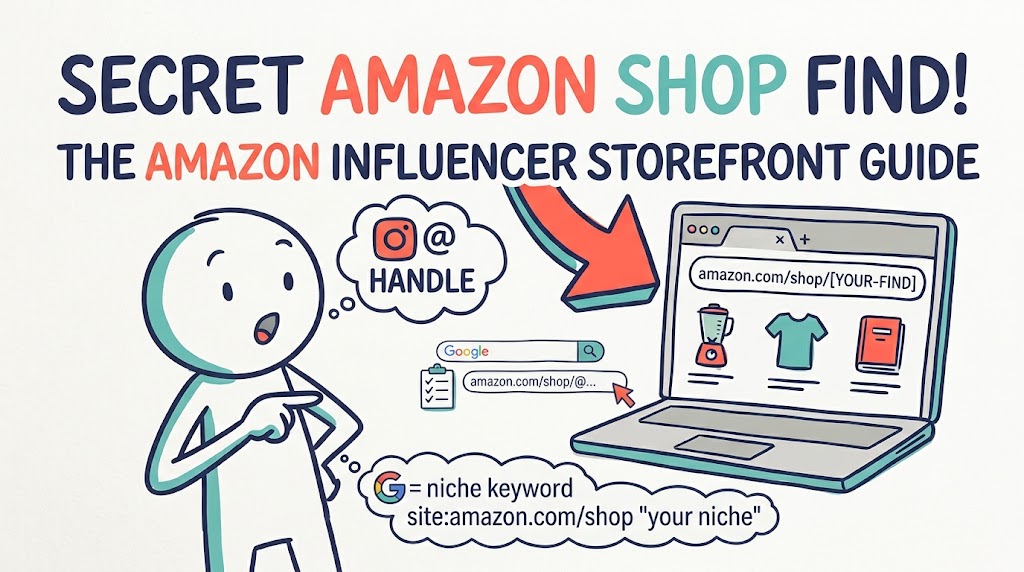
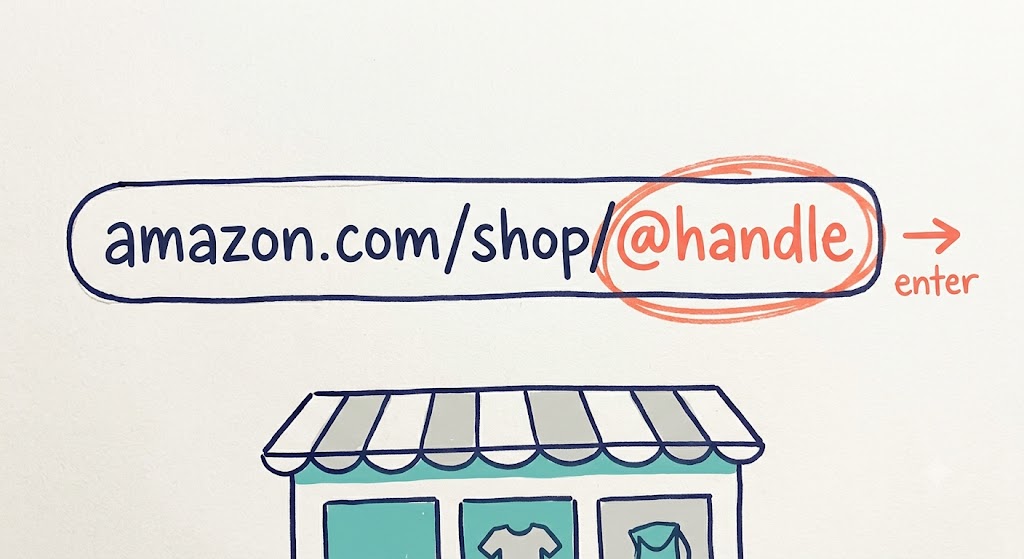
To find an Amazon influencer storefront, type `amazon.com/shop/@handle` into your browser, swapping in the creator's social handle. If the page loads, that's their storefront. If you get a 404, they're not in the Amazon Influencer Program. To find storefronts by niche instead of by name, use the Google search operator `site:amazon.com/shop "your niche"`.
Here's the frustration that brings most people to this question. You saw a creator on TikTok demo the exact product organizer you've been wanting. You want to see the rest of what they recommend, so you open Amazon and search their name. Nothing. Amazon doesn't index its influencers that way, and a storefront isn't a regular search result. You need the direct link, and there's a trick to it.
This guide shows you how to find an Amazon influencer storefront three ways: reaching a specific creator's shop, discovering storefronts by niche, and telling a real influencer storefront apart from a brand store. Whether you're a shopper or a cross-border DTC brand scouting creators, you'll know exactly where to click.
Key Takeaways
• The fastest way to find a storefront is the URL `amazon.com/shop/@handle`, a 404 means they're not in the program
• There's no public directory of Amazon storefronts, you reach them by URL, Google, or social bio
• Find storefronts by niche with the operator `site:amazon.com/shop "your niche"`
• An influencer storefront (`amazon.com/shop`) curates products across brands, a brand store (`amazon.com/stores`) sells one brand only
• Browsing niche storefronts is a fast way to research what products creators actually recommend
What Is an Amazon Influencer Storefront?
An Amazon influencer storefront is a personal page, at a URL like `amazon.com/shop/creatorname`, where an approved member of the Amazon Influencer Program curates product recommendations. Creators pull products from across Amazon's full catalog, organize them into lists and idea collections, and earn commission when their audience buys through the page.
The key thing to understand: there's no searchable directory. Amazon doesn't publish a list of storefronts, and its on-site search won't surface them by creator name or niche. That's why searching Amazon directly leaves you empty-handed. You reach a storefront by its link, not by search.
Storefront vs Brand Store: Don't Confuse Them
These two look similar but are completely different pages, and mixing them up wastes time.
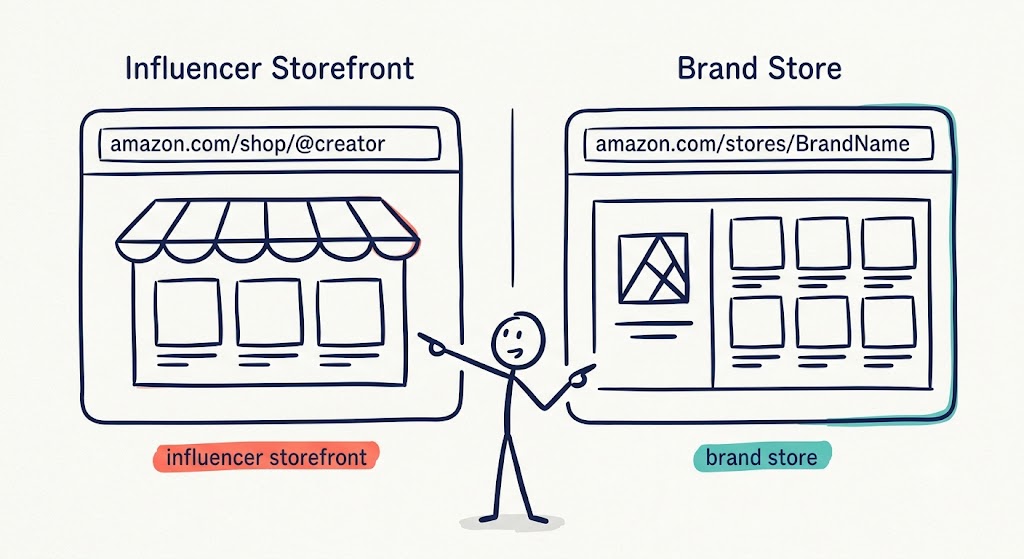
Influencer Storefront | Brand Store | |
|---|---|---|
URL format | `amazon.com/shop/handle` | `amazon.com/stores/BrandName/page/ID` |
Who runs it | A creator in the Influencer Program | A brand in Brand Registry |
What it sells | Curated picks from many brands | That one brand's products only |
Purpose | Personal recommendations, commission | Brand storytelling, catalog |
If you're scouting creators to partner with, you want influencer storefronts. If you're researching how a competitor brand presents its own catalog, that's a brand store. This guide is about the former.
How to Find a Specific Creator's Storefront
Most of the time, you already know the creator, you just need their shop link. Here are the three fastest ways in.
The amazon.com/shop/@handle URL Trick
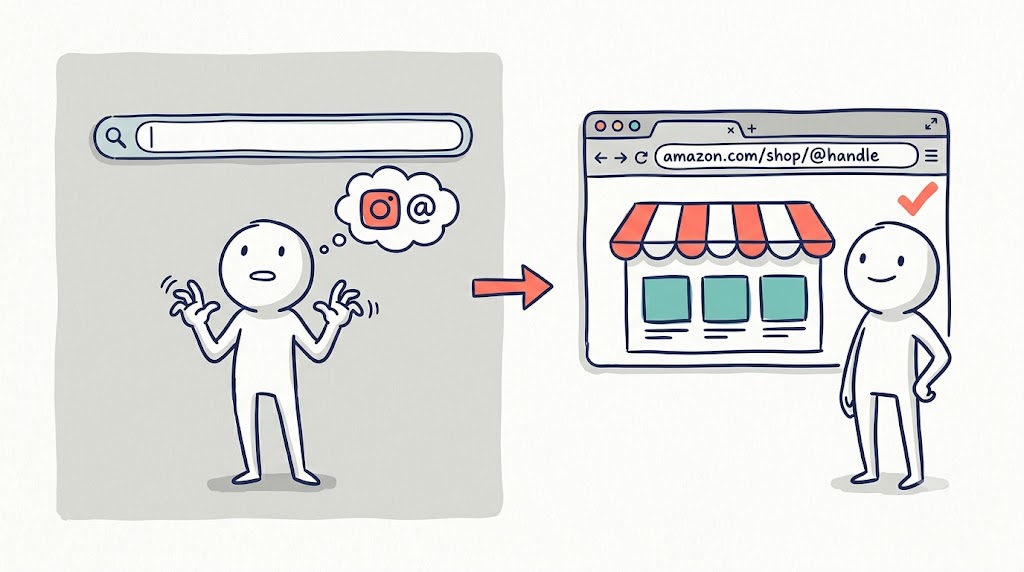
Type `amazon.com/shop/@handle` into your browser, replacing `@handle` with the creator's social media handle. Many creators set their storefront vanity URL to match their Instagram or TikTok name, so this loads their shop directly.
When Sofia, a DTC home goods marketer, wanted to check whether a kitchen creator she followed had a storefront, she typed `amazon.com/shop/` plus the creator's Instagram handle and landed on the shop in seconds, no tools, no searching. That's usually all it takes.
If the exact handle doesn't work, try the older fallback format `amazon.com/shop/firstname-lastname`, which some earlier accounts use.
The 404 Check
This is the fastest qualification signal in the whole process. If `amazon.com/shop/@handle` loads a storefront, the creator is an active Amazon Influencer Program member. If it returns a 404 error, they're not in the program, and no amount of searching will find a storefront that doesn't exist.
Use this to qualify creators in seconds before you invest any more time.
Checking storefronts one by one works when you have a handful of creators. Once your list grows, tracking who's in the program, who fits, and who you've contacted needs a system. CreatiVault's Influencer Scout keeps your creator pipeline in one place instead of a tangle of browser tabs. See how it works →
Social Bio and Linktree Check
If the URL trick fails but you're sure the creator sells on Amazon, check their social profiles. Most Amazon influencers link their storefront in their Instagram, TikTok, or YouTube bio, often through a Linktree or Beacons hub rather than a clean vanity URL. Open their link hub and look for the `amazon.com/shop` link.
How to Find Amazon Storefronts by Niche
Sometimes you don't have a specific creator in mind, you want to discover storefronts in a category. Here's how to find influencer storefronts on Amazon at scale.
Google Site-Search Operator
This is the single most powerful method. Type this into Google:
`site:amazon.com/shop "your niche keyword"`
For example:
- `site:amazon.com/shop "home office setup"`
- `site:amazon.com/shop "skincare routine"`
- `site:amazon.com/shop "baby must haves"`
Google has indexed public storefront pages, so this returns real Amazon influencer storefronts matching your niche. Swap in your keyword and you've got a list to work through.
Amazon's Own Creator Feeds
Amazon surfaces creator content through its shoppable feed (browse it via the Amazon Finds / Inspire experience in the app and on site). There's no keyword search box, so you scroll and filter by category, but everyone featured is an active program member showing off products. Feed names and URLs shift over time, so if one entry point changes, look for Amazon's current "creator" or "shop by creator" section.
Amazon Live
Amazon Live is Amazon's live-streaming shopping feature, where creators demo products in real time. Browse by category to find creators streaming in your space. Every streamer is a vetted program member, and a few minutes of watching shows you how well they sell on camera before you ever click into their storefront.
Reverse Product Search
Open a product similar to yours on Amazon and scroll to the "Videos for this product" section. Each creator video links back to that creator's storefront, and because they already featured a product like yours, they're a warm, category-relevant find.
How to Tell if a Storefront Is Worth Your Time
Finding the storefront is step one. A quick scan tells you whether it's worth deeper evaluation.
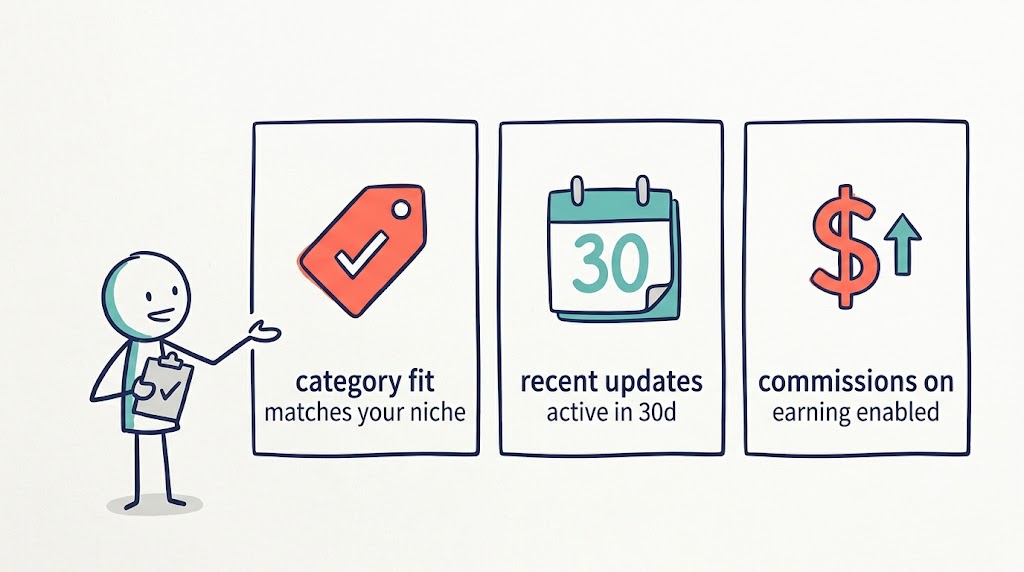
- Category fit: Does your product type match a meaningful share of what they curate? A storefront that's mostly kitchen gear fits a cookware brand, not a skincare line.
- Recency: Have they updated in the last 30 days, new lists, photos, videos, or Live streams? A dormant storefront won't drive traffic.
- Commissions active: Storefronts with onsite commissions active signal a creator who's actively selling, not just parked.
For the full partnership vetting, engagement rate, audience authenticity, fake-follower checks, see our guide on how to find influencers on Amazon, which covers the outreach and evaluation process in depth.
From Storefront to Partnership
Finding storefronts is the discovery step. If you're a brand, the real work starts once you have a shortlist: outreach, negotiation, and tracking each creator through your pipeline.
That's a different job from locating shop pages, and it's where the two halves of this connect. Use this guide to locate and qualify storefronts, then move to our companion guides on finding influencers on Amazon and finding Instagram influencers for the full partnership workflow. Browsing niche storefronts also doubles as product research, seeing what creators actually recommend pairs naturally with CreatiVault's Products feature for validating what sells. Ready to turn a list of storefronts into a managed creator pipeline? Explore CreatiVault's features →
Frequently Asked Questions
How do I find an Amazon storefront?
Type `amazon.com/shop/@handle` into your browser, using the creator's social handle. If the page loads, that's their storefront. If it returns a 404, they're not in the Amazon Influencer Program. To find storefronts by niche, use the Google operator `site:amazon.com/shop "your niche"`.
How do I get to an Amazon storefront from a creator's social profile?
Check the creator's Instagram, TikTok, or YouTube bio. Most Amazon influencers link their storefront there, often through a Linktree or Beacons hub. Look for the `amazon.com/shop` link in their bio or link list.
What's the difference between an Amazon storefront and a brand store?
An influencer storefront (`amazon.com/shop/handle`) is run by a creator who curates products across many brands and earns commission. A brand store (`amazon.com/stores/BrandName`) is run by a single brand and sells only that brand's products. Different URLs, different purposes.
How do I find Amazon storefronts by niche?
Use the Google site-search operator `site:amazon.com/shop "your niche keyword"` to surface indexed storefronts in a category. You can also browse Amazon's creator feed by category or filter Amazon Live streams by category.
Finding a Storefront Comes Down to the Right Link
You now know how to find an Amazon influencer storefront three ways: the `amazon.com/shop/@handle` URL trick for a specific creator, the `site:amazon.com/shop` operator for niche discovery, and the social bio check as a backup. And you can tell a real influencer storefront apart from a brand store at a glance.
The core insight is simple: there's no directory, so you reach storefronts by link, not by search. The 404 check qualifies a creator in one second, and a quick scan of category fit and recency tells you whether to dig deeper.
Here's your next step: pick a creator you already follow and try the `amazon.com/shop/@handle` trick right now. Then, if you're building a creator list for your brand, move to our companion guide on finding influencers on Amazon to turn those storefronts into partnerships. Find the link, and the rest follows.
 Sophie Klein