Aug 11, 2026
How to Find a Company Decision-Maker's Email in 5 Minutes
Find any decision-maker's email address using LinkedIn, email format patterns, and verification methods. Step-by-step guide for B2B outreach teams.
 Daniel Brennan2,125 words9 min read
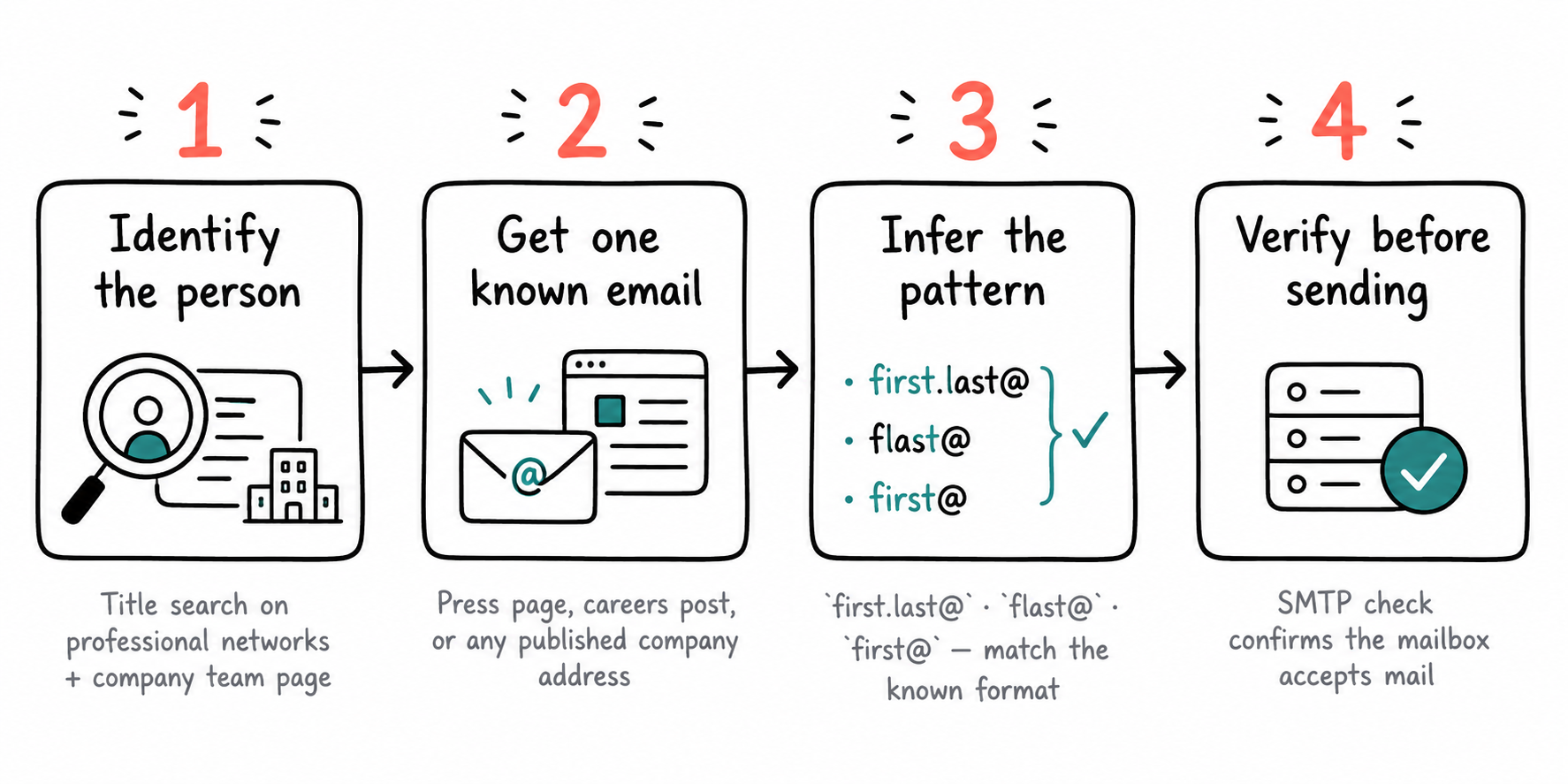
The fastest way to find a decision-maker's email: identify the person on LinkedIn or the company site, infer the email format from one known employee address, build the target email using that pattern, then verify it before sending. This method works for 70%+ of mid-market and enterprise companies where email formats follow consistent patterns like `first.last@company.com`.
Here's the complete process.
Key Takeaways
• LinkedIn + company website team pages surface the right person 80% of the time
• 8 email format patterns cover 95% of corporate addresses — test one known employee to identify which pattern the company uses
• Free email verification catches typos and invalid addresses before you send
• SMTP verification checks deliverability without triggering spam filters
• Cold outreach without proper verification burns domain reputation fast
Why Finding the Right Email Matters More Than the Message
Your message quality doesn't matter if it lands in a catch-all inbox nobody monitors, bounces because the format was wrong, or gets filtered as spam.
A campaign to 500 prospects with a 15% bounce rate burns your sender reputation so hard that even legitimate emails start hitting spam. Verification catches those before they fire.
Step 1: Identify the Right Person
Before you guess email formats, confirm you're targeting the right human. Finding creator emails follows a similar discovery process.
LinkedIn Search
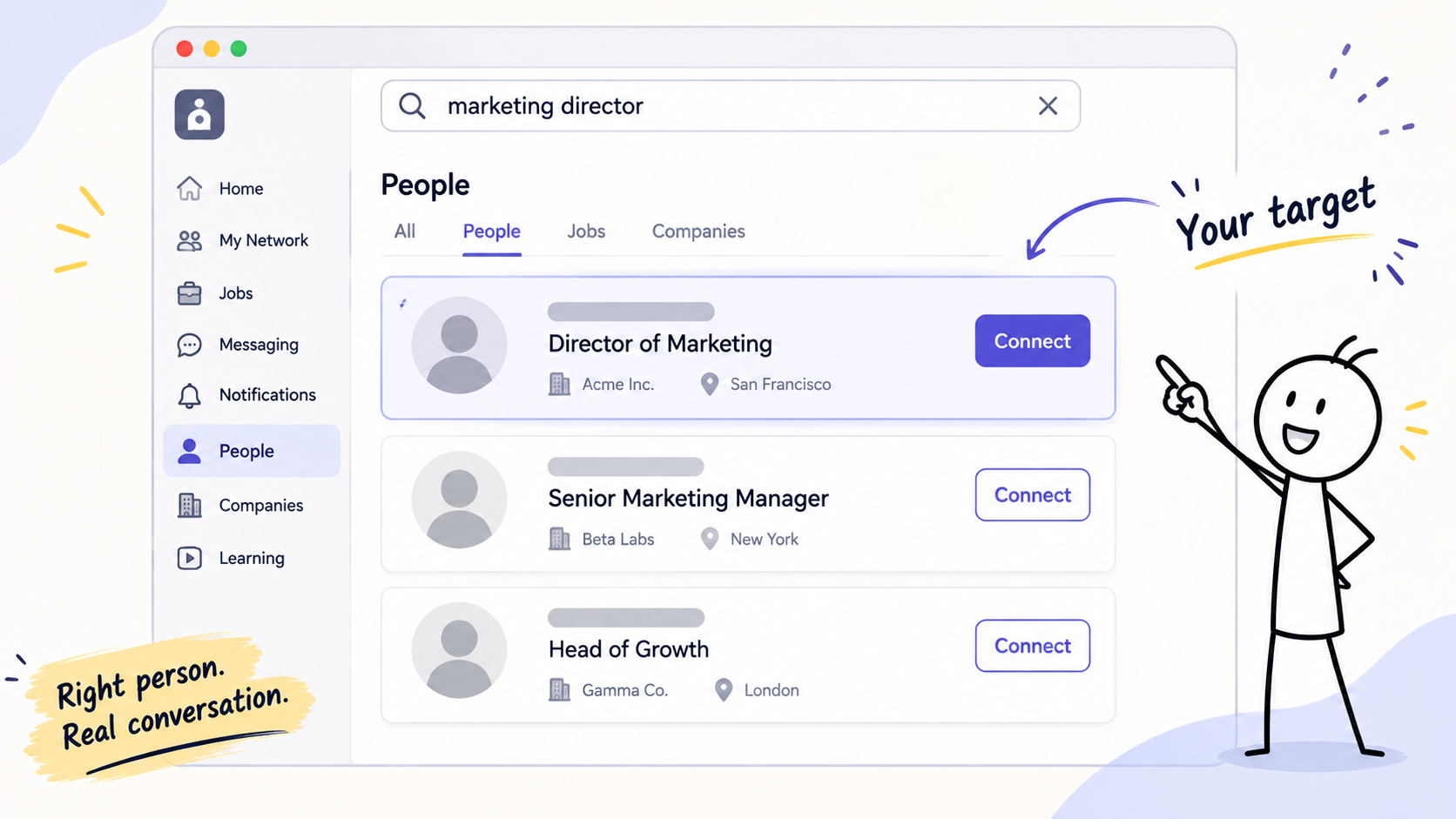
The fastest path: LinkedIn's company page → People tab → filter by job title or keyword.
For a marketing partnership, search "marketing" or "partnerships" within the company. For product placement, search "product" or "buying." LinkedIn surfaces current employees with public profiles — the title alone tells you whether they're the decision-maker or just adjacent.
When LinkedIn's locked down: Some companies restrict employee lists to 2nd-degree connections. Two workarounds:
- Google search: `site:linkedin.com/in "Company Name" "job title"` returns individual profiles Google indexed
- Sales Navigator trial (free 30 days) unlocks advanced filters and removes the 2nd-degree wall
Company Website Team Pages
Mid-market and enterprise companies often list leadership on `/about`, `/team`, or `/leadership` pages. Startups put the whole team on the homepage or footer.
What you get: full name, title, sometimes a headshot. What you don't: the email address — but that's fine, you're building it next.
Business Registrations and Filings
For owner contact at private companies, check:
- Corporations: Secretary of State business entity search (most US states publish registered agent info)
- LLCs: Same state database, look for "organizer" or "managing member"
- Non-US: Companies House (UK), ASIC (Australia), equivalent registry in target country
You'll get a legal name and sometimes a mailing address. The person listed is often reachable and owns decision authority.
Step 2: Infer the Email Format
Corporate email follows predictable patterns. Identify the pattern once, then apply it to any employee.
The 8 Most Common Patterns
95% of companies use one of these:
Pattern | Example | Typical For |
|---|---|---|
`first.last@company.com` | `john.smith@acme.com` | Most common (40%+ of companies) |
`firstlast@company.com` | `johnsmith@acme.com` | Tech startups, modern companies |
`first@company.com` | `john@acme.com` | Small teams (<50 people) |
`flast@company.com` | `jsmith@acme.com` | Enterprise, especially pre-2010 |
`first_last@company.com` | `john_smith@acme.com` | Rare, but exists |
`last.first@company.com` | `smith.john@acme.com` | Non-US companies, especially German |
`firstl@company.com` | `johns@acme.com` | Collision-avoidance format |
`f.last@company.com` | `j.smith@acme.com` | Older enterprises |
How to Identify the Pattern
Find ONE known employee email from the same company. Sources:
- Email signatures: Past correspondence, forwarded threads, industry newsletters
- Press releases: Contact line at the bottom often lists `press@` or a specific person
- GitHub commits: Developers' public commits sometimes use work email
- WHOIS domain records: Technical contact for the domain (works for smaller companies)
- Company job postings: "Send resume to [name@company]"
Once you have `john.doe@acme.com`, you know Acme uses `first.last@`. Apply it to your target: Jane Smith becomes `jane.smith@acme.com`.
When You Can't Find a Known Email
Try the most common pattern first (`first.last@`) and verify it (next step) before sending. If verification fails, try `firstlast@`, then `flast@`.
Step 3: Verify Before Sending
An unverified email is a guess. Verification confirms the address exists and accepts mail.
Free SMTP Verification
SMTP verification pings the recipient's mail server and asks "does this inbox exist?" without sending an actual message.
Tools that do this:
- Hunter.io Email Verifier (free tier: 25 verifications/month)
- NeverBounce (free tier: 1,000 one-time credits)
- ZeroBounce (free tier: 100 credits)
What they return:
- Valid: Inbox exists and accepts mail
- Invalid: No such address
- Catch-all: Domain accepts all addresses (you can't verify specific inboxes)
- Unknown: Server didn't respond or blocked verification
For catch-all domains, you can't verify individual addresses remotely. Your only option: send and watch for a bounce.
Why Verification Matters for Sender Reputation
Email providers (Gmail, Outlook) track your bounce rate. Bounce >5% of your sends, and your domain gets flagged. Flagged domains land in spam even when the address is correct.
Verification keeps bounce rate under 2%, which keeps your domain clean.
What Verification Doesn't Catch
- Role addresses that forward to nobody: `info@`, `contact@`, `hello@` often route to an abandoned inbox
- Addresses that exist but the person left: SMTP says "valid," but it bounces after you send
- Aggressive spam filters: The address works, but your domain is already on a blocklist
Verification is not permission. It confirms deliverability, not consent. CAN-SPAM (US) and GDPR (EU) still apply — see the compliance section below.
Step 4: Handling Name Collisions and Edge Cases
Two People, Same Name
When the company has John Smith in Marketing and John Smith in Sales, the `john.smith@` format fails. Companies handle this with:
- Middle initial: `john.a.smith@` vs `john.b.smith@`
- Incremented suffix: `john.smith@` (first hire) and `john.smith2@` (second hire)
- Department prefix: `marketing.john.smith@` or `john.smith.marketing@`
You can't predict which system they use. If verification fails on the base format, try the middle initial (LinkedIn profiles often show it). After that, you're guessing — fallback to LinkedIn InMail or a company-wide `hello@` with a request to forward.
Hyphenated or Multi-Part Last Names
For María García-López:
- Try `maria.garcia-lopez@` first (preserves hyphen)
- Then `maria.garcialopez@` (hyphen removed)
- Then `maria.lopez@` (second surname only, common in US companies adapting Spanish names)
For names with apostrophes (O'Brien, D'Angelo), the apostrophe is almost always dropped: `obrien@`, `dangelo@`.
Non-Latin Characters
Emails require ASCII. Names with accents, umlauts, or non-Latin scripts are transliterated.
- Accented Latin (é, ñ, ü): Stripped to base letter (`jose.martinez@`, not `josé.martínez@`)
- Cyrillic, Chinese, Arabic: Romanized by the company's HR system — no universal rule. For Alexei Иванов, could be `alexei.ivanov@`, `a.ivanov@`, or an entirely different transliteration
If verification fails and you can't confirm romanization, use LinkedIn InMail or ask a known contact at the company.
Step 5: What to Do When Email Fails
LinkedIn InMail
LinkedIn Premium or Sales Navigator includes InMail credits. One InMail reaches the person's LinkedIn inbox even if you're not connected.
Response rates: 10-25% (lower than email, but works when email is blocked). Keep the message under 200 characters in the preview pane — if the hook isn't there, they won't expand.
Company Contact Form
Many `/contact` pages route to a general inbox, but some let you select a department. Choose the right department, write the message as if it's going directly to your target, and include "Attn: [Name]" in the subject.
Downsides: slow (multi-day response times common), often screened by an assistant, no read receipt.
Mutual Connection Introduction
If you share a 1st-degree LinkedIn connection with your target, ask for an introduction. Warm intros have 40-60% response rates vs cold email's 1-5%.
The script: "I'm trying to reach [Name] at [Company] about [one-sentence reason]. Would you be comfortable making an introduction?"
Phone
For executive outreach, a phone number is sometimes easier to find than an email. Sources:
- ZoomInfo, Apollo.io, Lusha: Paid databases with direct dials
- RocketReach: Freemium, 5 lookups/month
- Company directory (if public): Some companies list extensions on `/contact`
Call between 8-9 AM or 4:30-5:30 PM local time — before/after the assistant's hours, executives often pick up their own line.
Doing This at Scale
Five minutes per prospect is fine for ten targets. At a hundred, it's a week of someone's life.
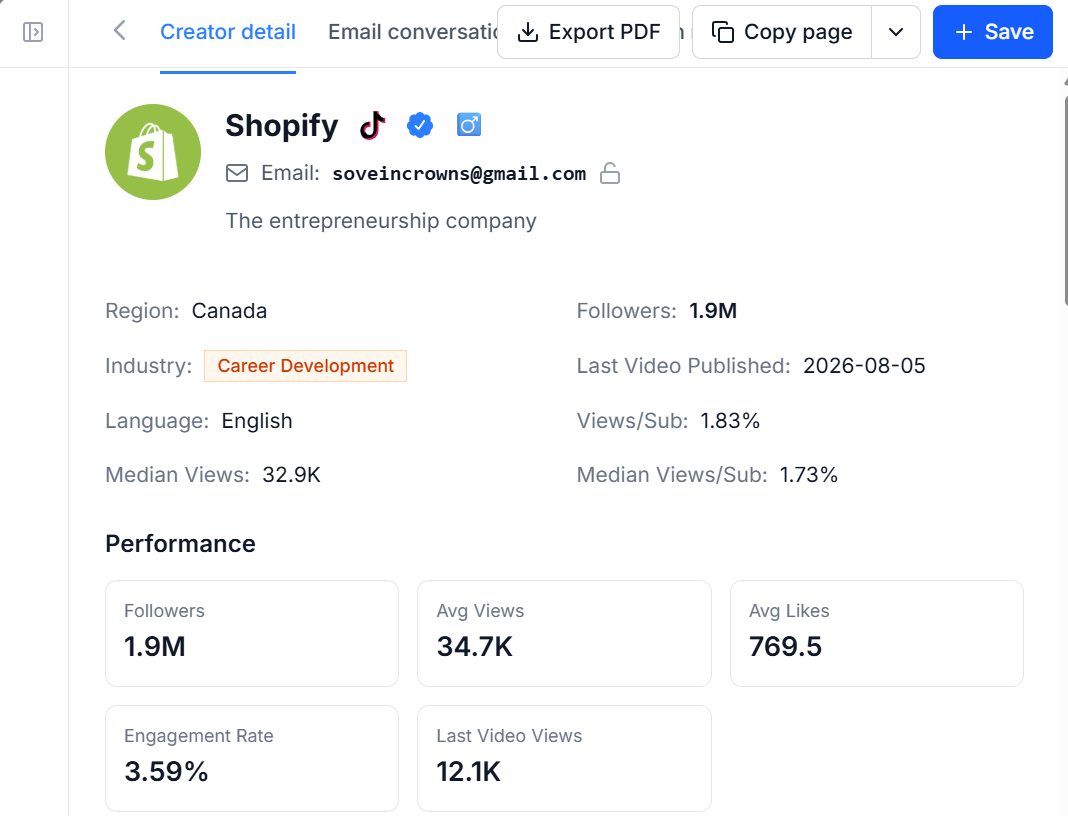
The free influencer email finder surfaces publicly listed contact addresses without the platform-by-platform hunt, so you skip straight to the pattern check. No account needed. For campaign-scale outreach, Influencer Scout filters contacts, unlocks emails for the whole shortlist in one action, and tracks who replied — 14-day free trial, no credit card. Run the addresses through Hunter.io or NeverBounce before the send.
Compliance: CAN-SPAM, GDPR, and Cold Outreach
Finding an email doesn't mean you can legally send to it.
United States (CAN-SPAM)
Cold B2B email is legal under CAN-SPAM if you:
- Include your physical mailing address in the footer
- Provide a one-click unsubscribe link
- Honor unsubscribe requests within 10 business days
- Don't use deceptive subject lines
No prior consent required for B2B in the US, but your recipient's company email filter and your sender reputation still matter — send to 500 unverified addresses and you'll hit spam even if it's legal.
European Union (GDPR)
GDPR requires legitimate interest or consent before you email a business contact.
Legitimate interest argument: you can email a decision-maker about a product directly relevant to their role, as long as:
- You explain how you got their email
- You offer an easy opt-out
- You don't email them again after they opt out
- You're not selling to consumers (B2C cold email is almost never legal under GDPR)
GDPR is enforced inconsistently, but fines for violations start at €20 million or 4% of global revenue. If your target is EU-based and you're unsure, LinkedIn InMail is safer.
Canada (CASL)
Canada's anti-spam law is stricter than the US. Cold email requires implied or express consent. Implied consent exists if:
- You have an existing business relationship
- The recipient's email is publicly listed with their role (e.g., on a company directory page)
- The message is relevant to their role
Even with implied consent, you must include an unsubscribe link and your contact info.
FAQ
Can I send to role addresses like info@ or hello@?
Technically yes, deliverability is usually fine. Practically no — role addresses route to shared inboxes that 5 people check once a week. Response rates are <1%. Always find the individual.
How do I find the email format when the company has no public employees?
Try the most common pattern (`first.last@company.com`), verify it, and send if it passes. If verification returns "catch-all," you can't confirm individual addresses remotely — send and monitor bounces. Companies under 20 people often use `first@company.com` instead.
What if the person I'm reaching moved to a new company?
SMTP verification will say "valid" because the inbox technically still exists, but you'll get a bounce after you send (or an auto-reply saying they left). Always check LinkedIn before emailing to confirm they still hold the title. If they moved recently, the old address sometimes forwards to the new one for 90 days.
Is it legal to scrape LinkedIn for email addresses?
LinkedIn's Terms of Service prohibit automated scraping. Manual lookup (you search the company page and note names) is fine. Using a third-party scraper that automates extraction violates ToS and can get your account restricted. The gray area: browser extensions that help you organize what you manually found — LinkedIn has historically tolerated these as long as they don't bulk-scrape.
Conclusion
The formula works: LinkedIn or company site → infer the email format from one known address → verify with SMTP → send. For 70% of companies, the pattern is `first.last@company.com`. Verification keeps your sender reputation clean and bounce rates under 2%.
When email fails, you have four fallbacks: LinkedIn InMail, the company contact form, a mutual connection introduction, or the phone. The right channel depends on urgency and relationship stage — InMail works for discovery, warm intros work for closing.
Cold B2B email is legal in the US under CAN-SPAM without prior consent, but GDPR and CASL have stricter rules. If you're targeting EU or Canada, confirm you have legitimate interest or implied consent before sending.
For bulk outreach or creator partnerships, start free with CreatiVault. The influencer email finder is free to use, and Influencer Scout takes a shortlist from unlocked emails to sent outreach to a tracked pipeline on a 14-day trial, no credit card.
Finding the right email doesn't replace writing the right message — but sending the right message to the wrong inbox gets you nowhere.
 Sophie Klein